ReFly helps general-aviation pilots learn how to prepare for
in-flight contingencies — grounded in trends across GA
incidents and automated analytical assessments of the terrain
ahead of your departure, your radio comms, and the decisions
behind real outcomes. Study the patterns, plan for the route
you're actually flying, and optionally rehearse it in
X-Plane 12.
Works in any modern browser · X-Plane 12 plugin optional
Four tools, one goal: study the risks, then prepare for them.
NTSB Incident Library
Browse thousands of real general-aviation accidents and
incidents with structured root-cause tags and the human
factors each report names. Filter and compare similar events
to surface the trends — what actually goes wrong, how often,
and in what order — so your preparation is grounded in
analysis, not anecdotes.
Off-Field Landing Planner
Research the ground ahead of your departure before you
ever roll. Pick your airport and a climb-out altitude,
and ReFly draws your glide envelope and ranks the
reachable off-airport fields inside it — by open terrain,
runway-like shape, surface, slope, and approach obstacles.
The goal isn't a guaranteed landing site; it's a mental
model of what's in front of you, so an engine failure on
takeoff isn't the first time you've thought about where
you'd go. Save the briefing to your phone or EFB.
ATC Phraseology Conformance
Upload ATC audio and ReFly transcribes it, then scores the
phraseology against the FAR/AIM standard — flagging
non-standard readbacks, missing callsigns, and loose
terminology. Filler like "uh" doesn't count against you; the
aim is clearer, more standard comms you can actually measure.
Works for both emergency and routine exchanges.
X-Plane 12 Rehearsal (Optional)
For pilots with X-Plane 12: push any scenario from the
browser straight into your sim and actually fly the
engine-out departure. The plugin sets up the failure at the right
altitude, paints the candidate fields on the satellite
ground overlay, and records your run — touchdown VSI,
peak G, glide ratio achieved, and how close you came to
the spot you planned for. Skip this whole feature if
you don't sim; the planner stands on its own.
See the Off-Field Landing Planner in action, start to finish.
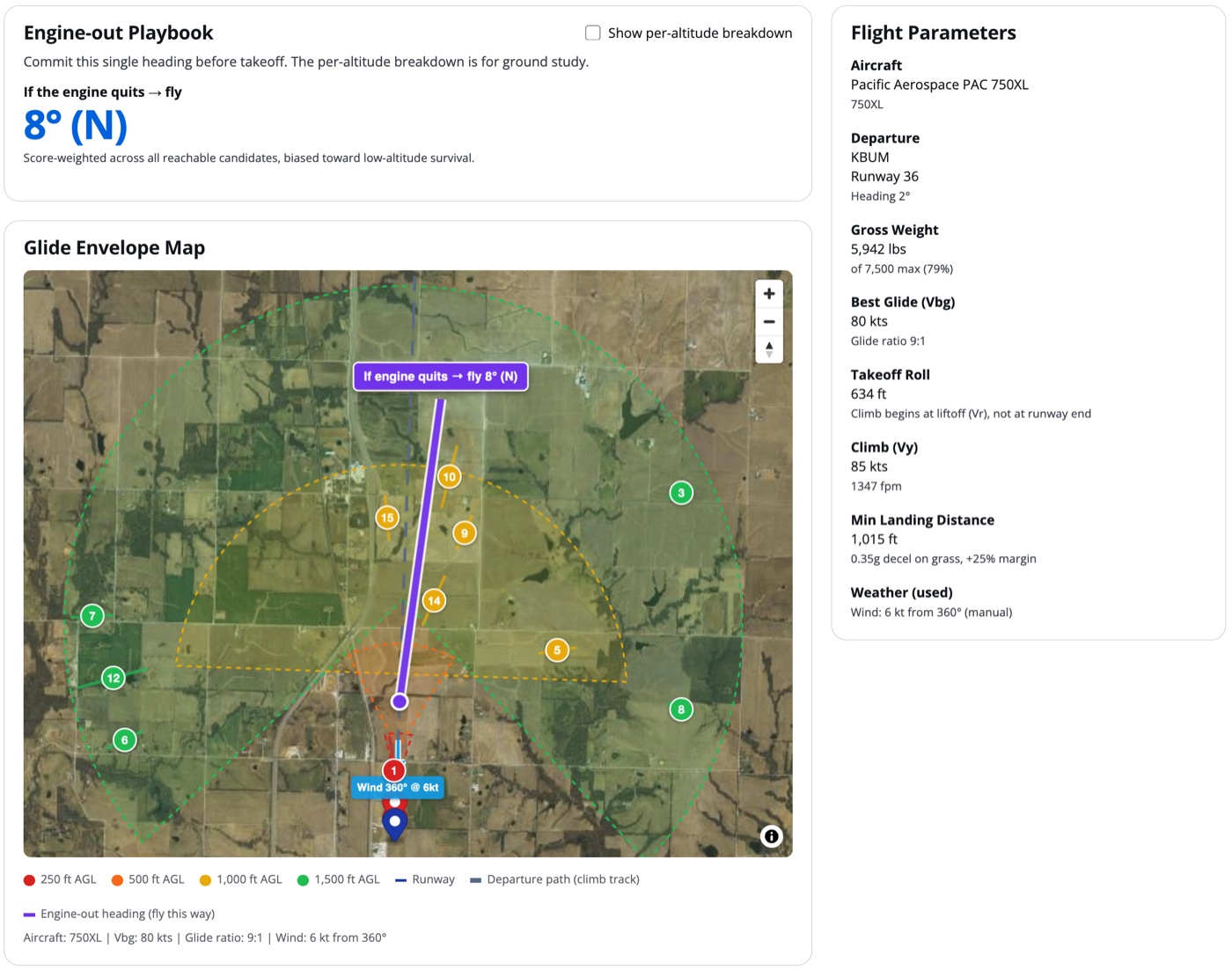
1
Plan the ground ahead of your climb-out
Pick your airport, aircraft, and weight. ReFly draws the glide
envelope from each altitude on your departure climb, ranks the
reachable off-field spots inside it, and commits to one answer:
if the engine quits, fly this heading.
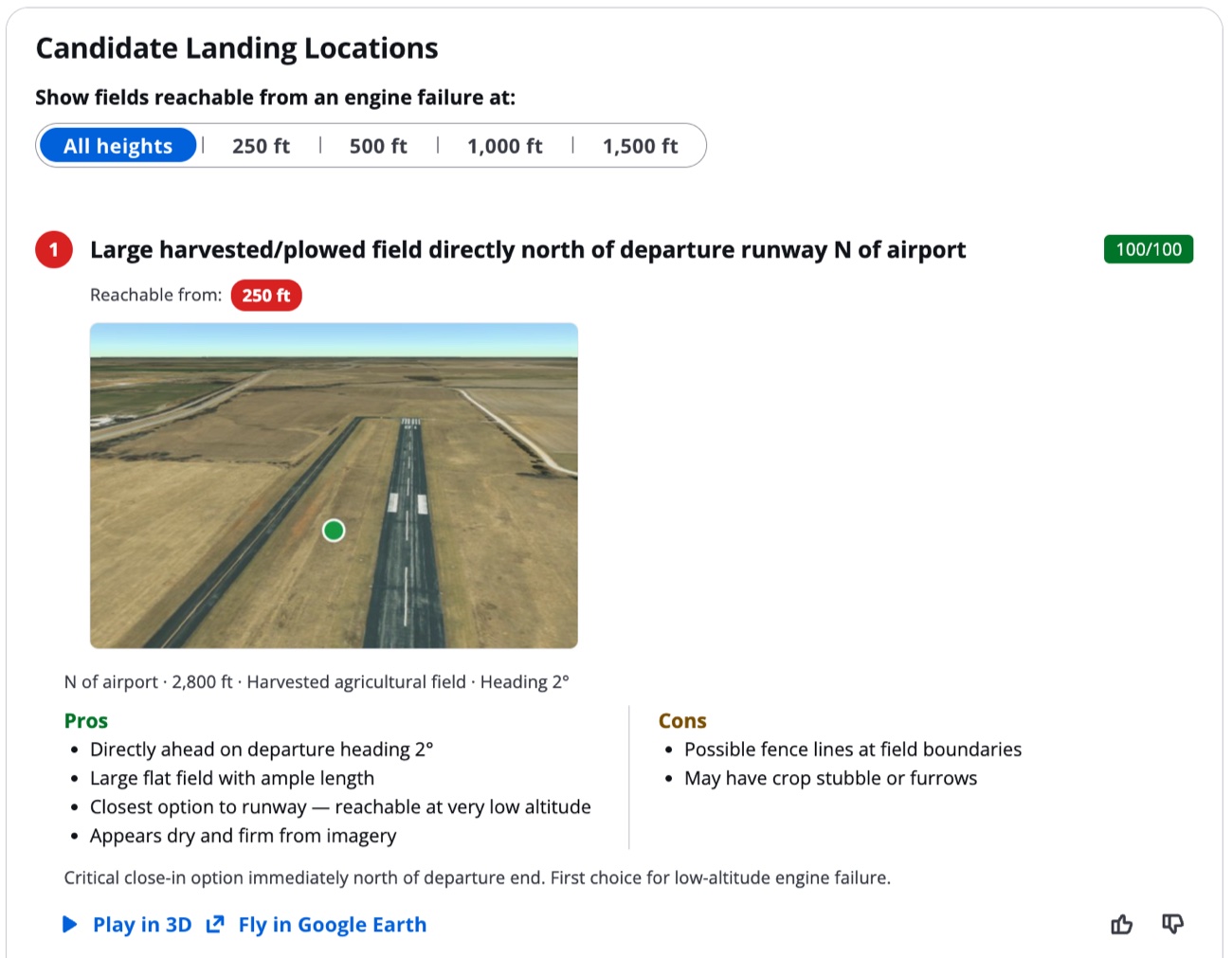
2
Study every candidate before you taxi
Each field comes with a 3D fly-through, a score, surface and
slope notes, and the pros and cons that matter — length,
obstacles, and the approach. Open it in Google Earth, or save
the whole briefing to your phone or EFB.
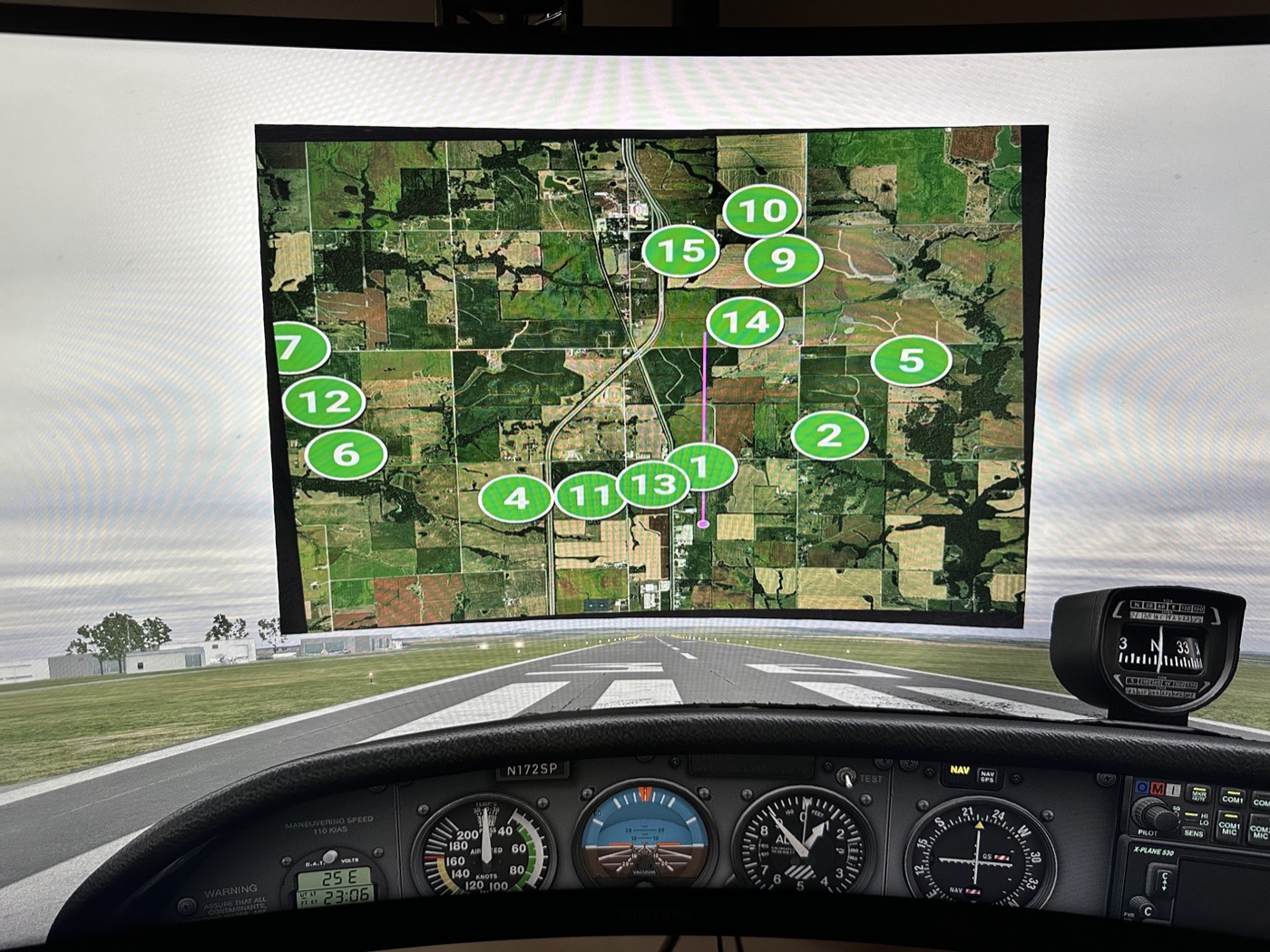
3
Rehearse the engine-out in X-Plane 12 Optional
Push any scenario straight from the browser into your sim. The
plugin fails the engine at the altitude you chose and paints the
same numbered candidates onto the cockpit view — so you fly the
real decision, not a checklist. No sim? The planner stands on
its own.
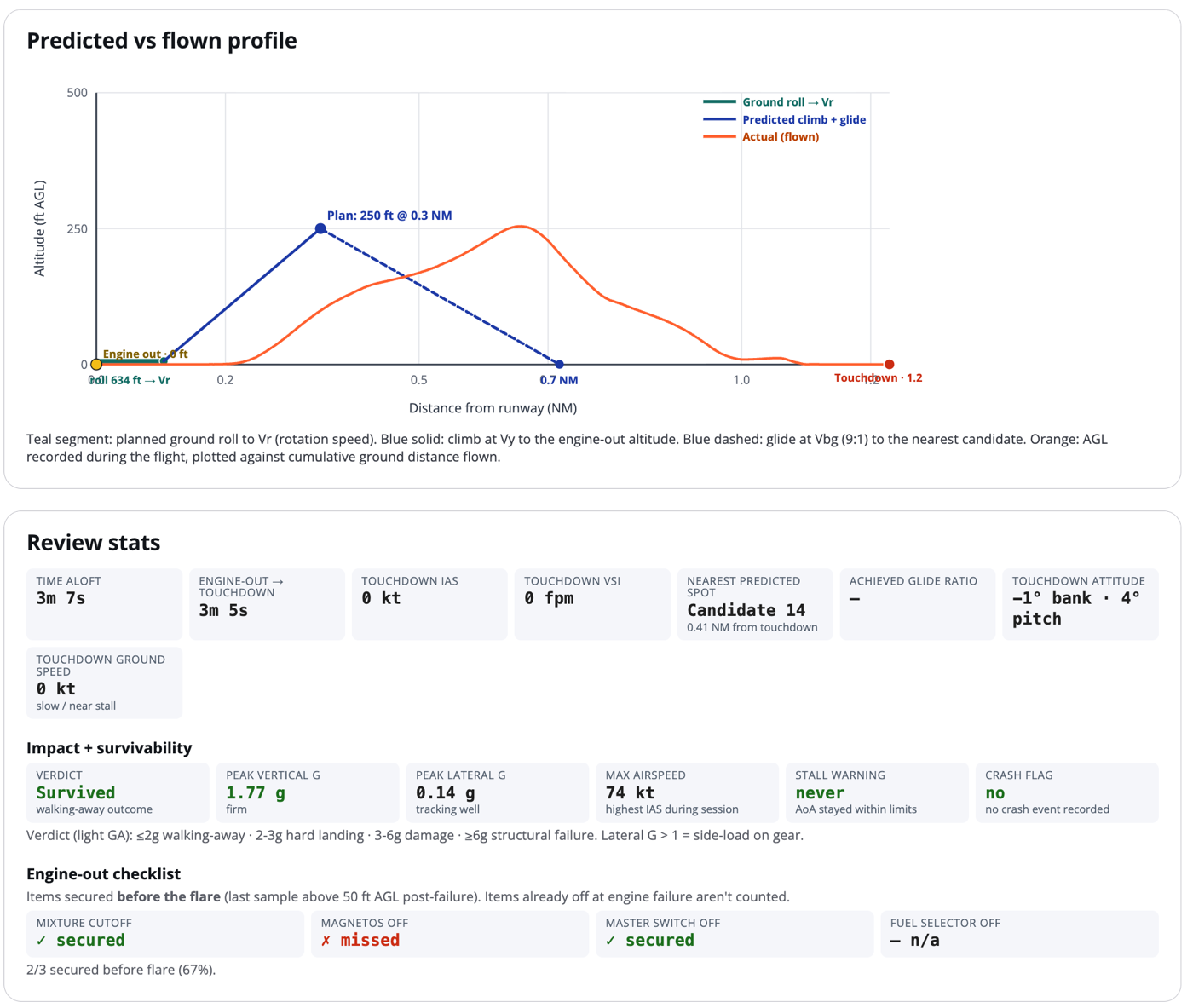
4
Review exactly how you flew it
ReFly plots your actual glide against the plan, grades the
touchdown — vertical speed, G, attitude — checks your
engine-out flow, and calls the survivability outcome. See what
to fix, then go do it better.
The Off-Field Landing Planner: know the ground before you need it.
A preflight briefing usually covers weather, fuel, and
alternates — but rarely the few square miles of terrain off
the end of the runway. If the engine quits low after takeoff,
there isn't time to study the ground for the first time. The
Off-Field Landing Planner is about doing that study in advance,
on the ground: reviewing the fields, roads, and obstacles
ahead of your climb-out and building a mental model of where
you'd go — so you're working from preparation instead of
improvising under pressure. It's informed by the patterns that
general-aviation incident data shows about how engine-out
events tend to unfold.
ReFly is a pre-flight planning and decision-rehearsal tool.
It is not a substitute for instruction with a certified
flight instructor, and the candidate landing fields it
surfaces are software estimates — confirm everything against
current charts, NOTAMs, sectional terrain, and your own eyes
before you'd ever rely on it in flight.
Study the risks. Prepare before you fly.
Start with the airport you're flying out of next, and see what's under your climb-out.